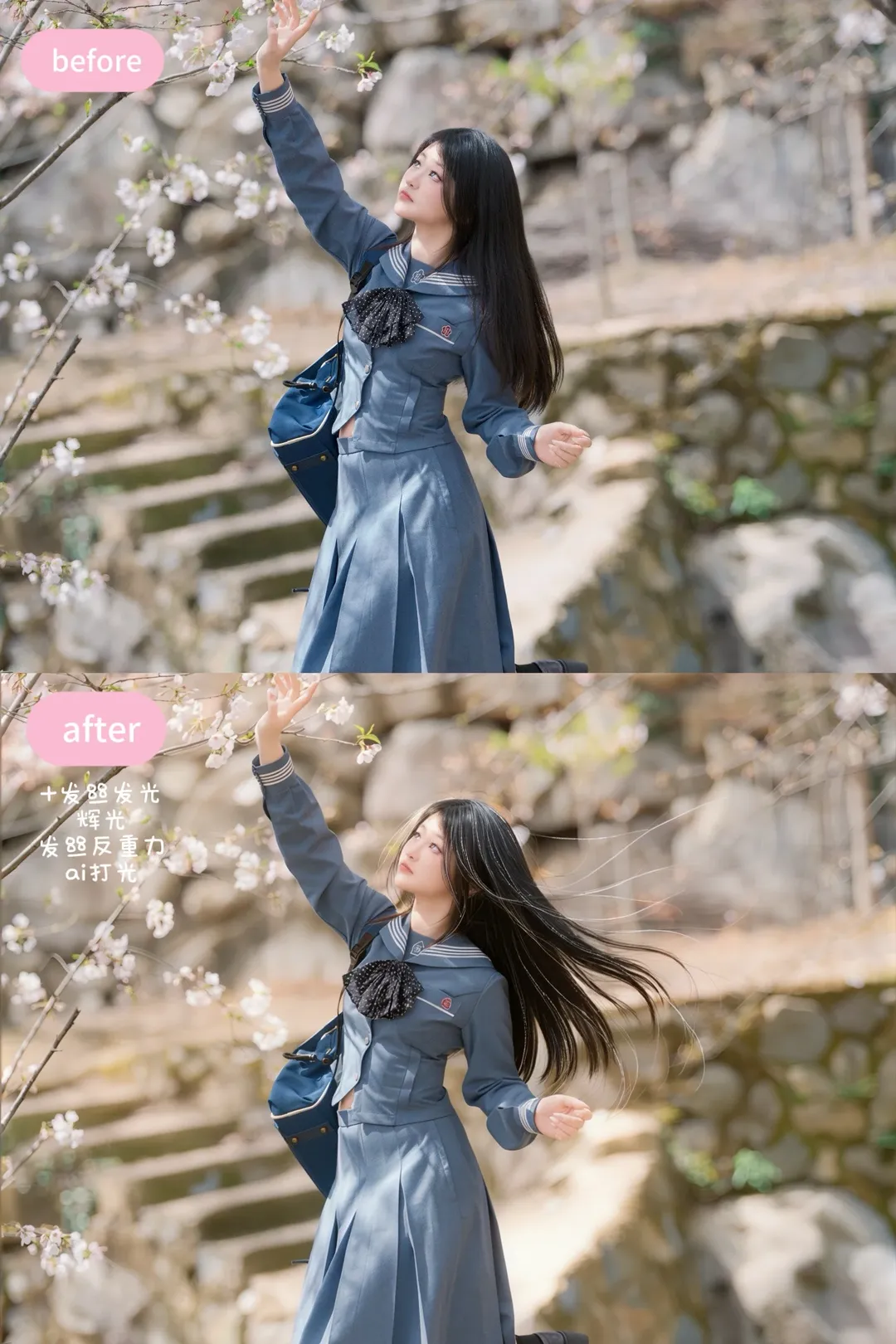
Getting straight to the point, this photo set demonstrates my results from solo convention and outdoor cherry blossom shoots. During the shoot, I worked entirely alone without an assistant for fill light—I even improvised using a selfie stick clamped to a reflector board.
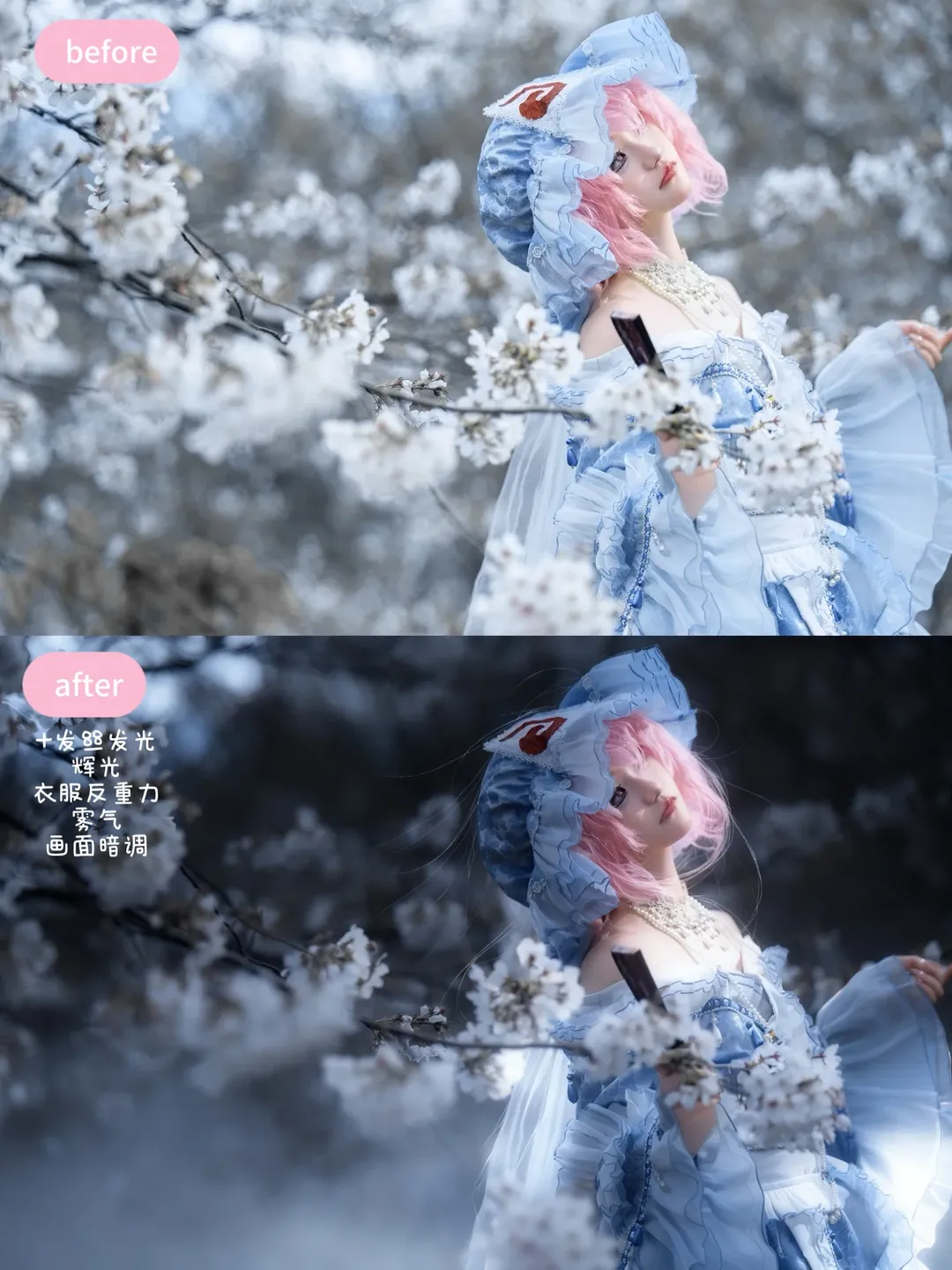
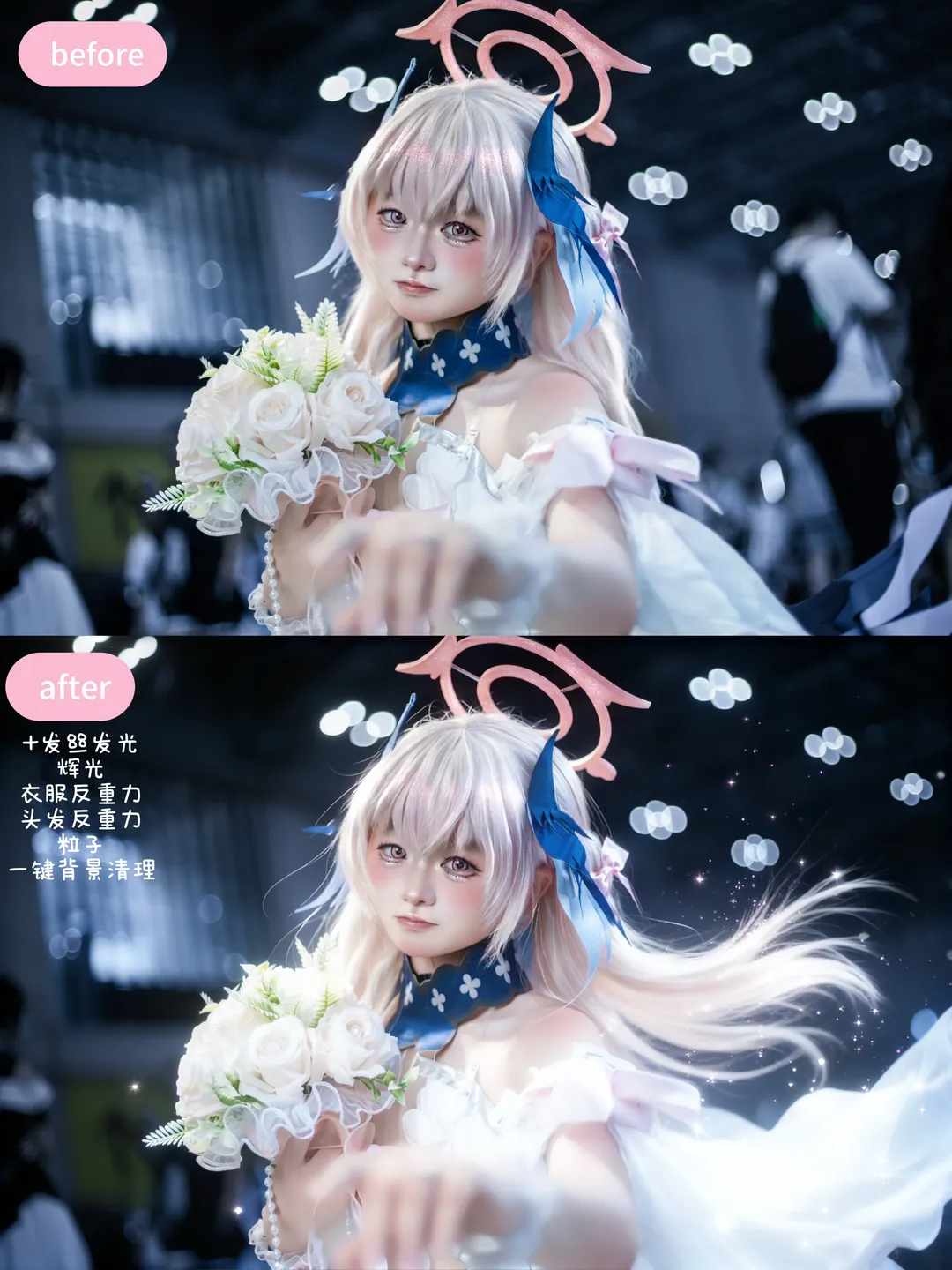
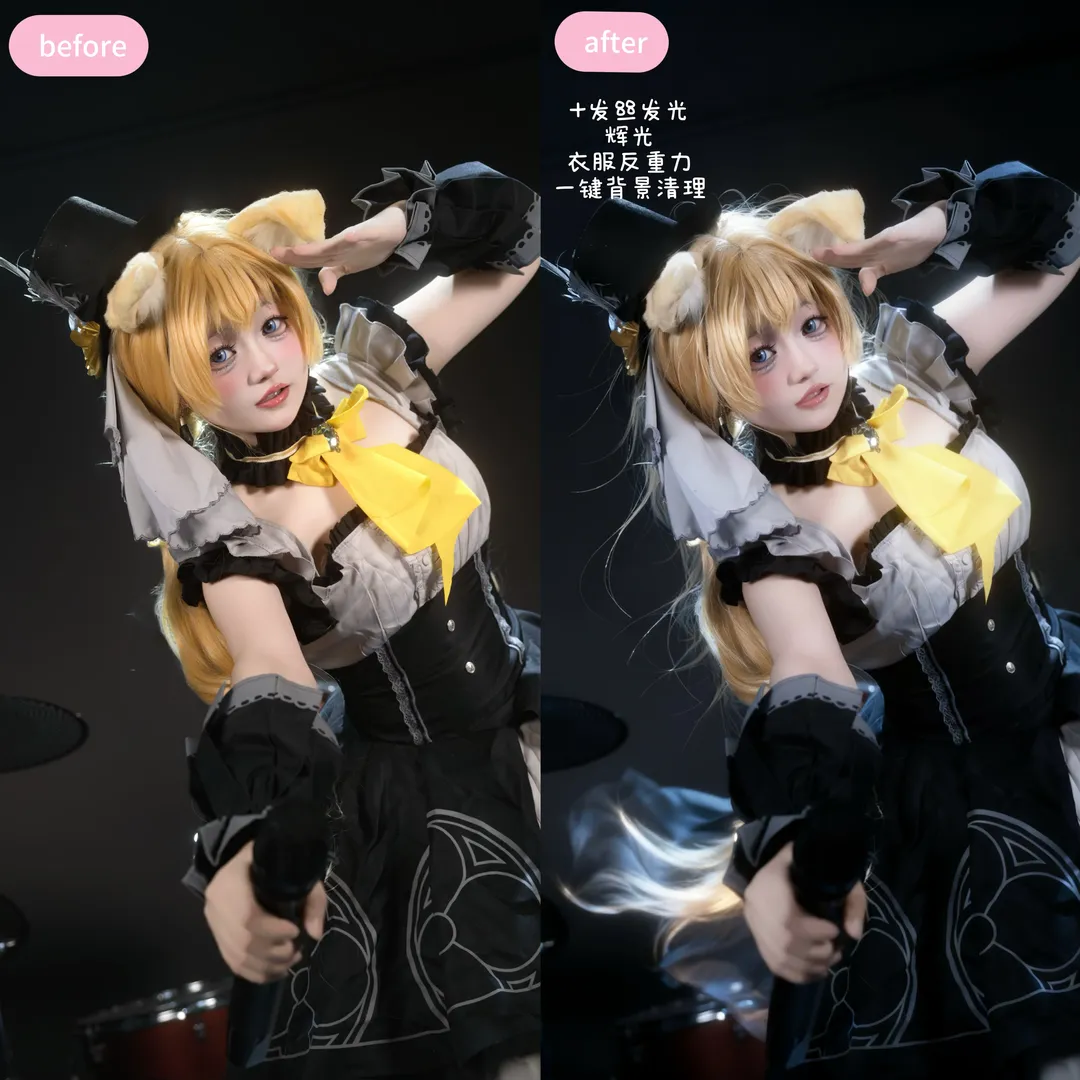
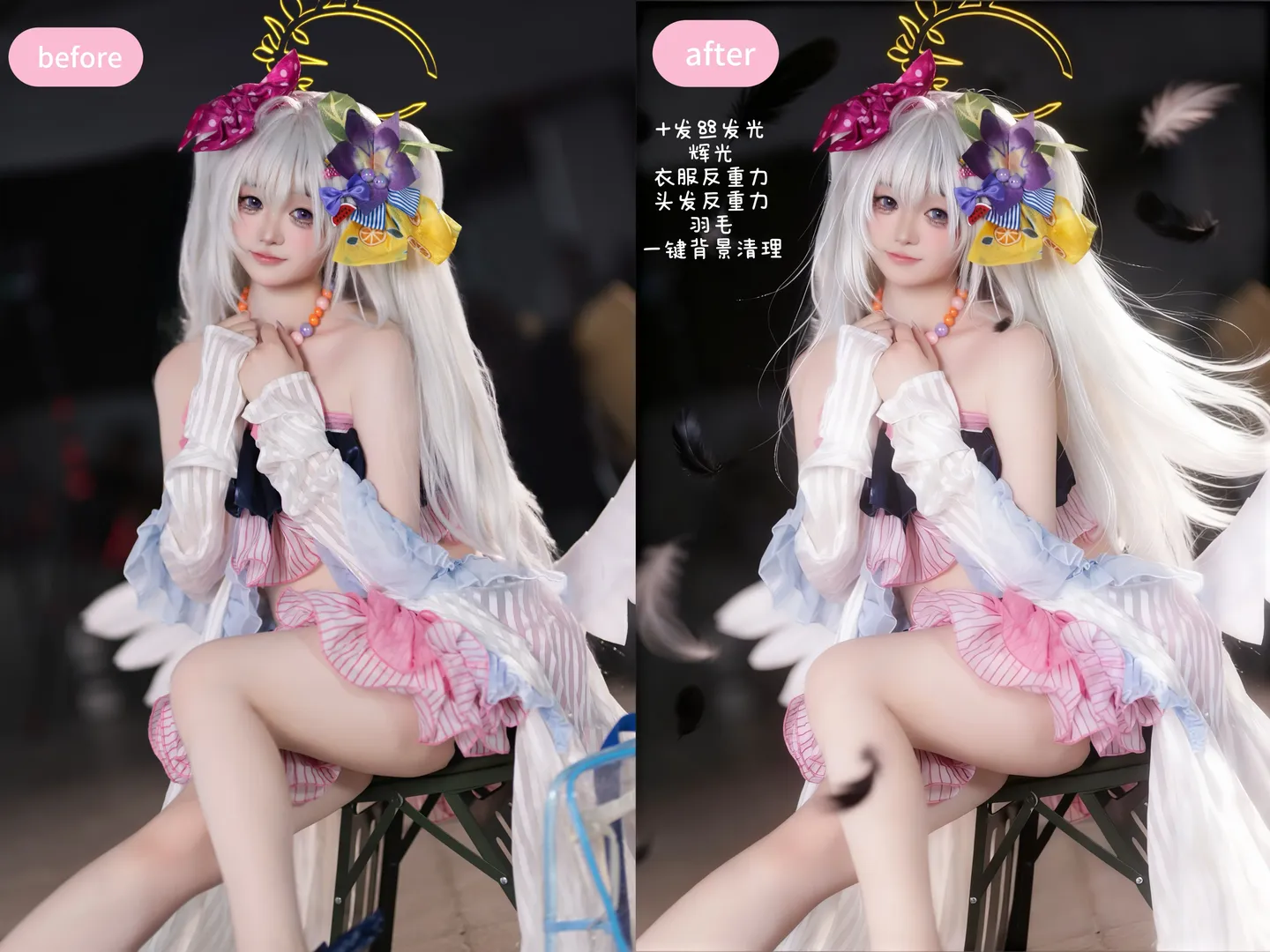
This shoot included a Mizuki look alongside some Touhou Project related outfits. Working solo in studio or convention environments presents major pain points: cluttered backdrops and uncontrollable lighting, especially given dark convention halls packed with dense crowds. Therefore, this photoset emphasizes the rhythm of post-processing lighting. For dynamic flair during the real shoot, I flipped my skirt and wig by hand, but the wind effect was insufficient and the expression/vibe wasn't fully there, so I jumped straight into Pixelcake photo retouching on mobile.
The most practical feature in this retouching workflow is one-click background cleanup to remove distracting elements—especially drum kits, blue carts, and passersby at the convention site that draw away visual focus. Meanwhile, the anti-gravity clothing effect is a huge convenience for cosplayers seeking airy flow; it intelligently detects garment flow and fold lines to naturally stretch out an upward trajectory without manual liquefy warping. Mizuki's outfit features a blue-and-white color palette paired with pink hair, where headpieces and pearl necklaces are packed with detail. In post, I focused on preserving these delicate accessories, using AI hair glow and bloom effects to give hair edges and jewelry a fine sparkling texture, elevating the dreaminess of the frame.
When adjusting lighting, I utilized the smart lighting tool in Pixelcake mobile. Dark-tone processing doesn't merely boost contrast; it distributes face lighting and shadows evenly so skin looks luminous, clear, and dimensional while the background is dimmed by ambient lighting to pop the main subject. Instead of sacrificing skin texture through over-smoothing, I preserved original makeup colors so cheek blushes and eye catchlights remained sharp. This anime-styled effect processing gives photos an illustration-like texture that fits character atmosphere seamlessly.
Regarding cosplay output, I've always believed it isn't merely copying a character's appearance, but re-creating the photo's atmosphere. In this set, I tried unified post-processing across multiple styles, including a cool, graceful aesthetic under cherry blossom trees and a dynamic indoor look. Whether outdoors by cherry blossoms or indoors at convention booths, hair strand glowing and bloom effects significantly enhanced atmospheric airiness.
The core takeaway from this shoot is learning to leverage AI tools to compensate for solo shooting limitations. Scouted locations, hauled gear cases, and changed outfits alone beforehand consumed all my stamina; if post-processing took weeks of fine retouching, output frequency would plummet. Being able to achieve complex anti-gravity effects and background cleanup quickly via mobile dramatically upgrades the solo operational experience. Although fast retouching might not hold up to extreme magnification like manual fine edits, as a workflow for delivering high-quality solutions quickly on social media, it's perfect for cosplayers who frequent conventions without dedicated retouchers.
From shooting frantically alone at the start to achieving satisfying, efficient mobile delivery in post, the entire process feels immensely rewarding. Every shoot is an exercise in self-review and adjustment, as well as dedication to cosplay as a passion. No matter how variable the environment, as long as you capture the moment you want to express and match it with the right retouching tools, the final result won't disappoint.